Plans and features
Find the Easel plan that's right for you.
Easel runs in your browser and works with the CNC machine you already own. Start free, and move up when your projects ask for more.
- 148 validated machines
- 25 manufacturers
- 10M+ vectors
- 300+ fonts
Add-onNew
Easel Generate: describe it, and carve it.
AI design generation for 2D vectors and 3D reliefs. It is a separate subscription, from $8 a month, that you can add to Basic, Starter or Pro.
Easel Basic
$0 forever
No card, no trial clock.
For the maker who just got the machine running and wants to learn the software before paying for anything.
Create a free accountUpgrade later without losing any of your work.
Basic is the full design toolset and one carve a week.
Easel Starter
$8 per month
Or $72 a year when billed annually.
For the maker who has stopped experimenting and is carving most weekends, and keeps running into the one carve a week limit.
Start your free trialRenews automatically. Cancel any time.
Starter includes everything in Basic.
Easel Pro
$24 per month
Or $216 a year, or $599 for three years.
For the maker who needs advanced toolpaths for V-Carve Inlays and 3D Carving
Start your free trialRenews automatically. Cancel any time.
Pro includes everything in Basic and Starter.
Basic is a real design tool, not a demo.
The whole drawing and editing toolset is here. The limit is how often you can send a job to the machine.
- Full design and vector editing tools
- Image trace, SVG and G-code import and export
- Built-in bit and material libraries
- Community Cut Settings
- Interactive apps and the project gallery
- Automated toolpaths and two-stage carving
- Digital Read Out and Rapid Connect
- One carve or G-code export per week
Hitting the weekly limit? See what Starter adds
Starter adds four things to Basic.
Everything on the Basic plan stays exactly as it is. These are the additions.
- 20 carves or G-code exports a week, up from one
- Raster carving
- Ramping plunges
- Center work zero
Looking for V-carving, 3D carving or unlimited carves? Those live on Pro. See what Pro adds
Pro includes everything in Basic and Starter, then adds twelve more.
Raster carving, ramping plunges and center work zero all come with Pro as well. These are what Pro adds on top of them.
- Unlimited carves and G-code exports
- V-carving
- 3D carving
- V-Carve Inlays
- Pro Design Library, 10 million vectors
- 300+ fonts with text effects
- Toolbox for custom bits and materials
- Large material tiling
- Additional cut depth below material
- Multiple machine profiles
- Machine parking
- Resume carve
Carving once a week and not sure you need all of this yet? Compare it against Starter
Carve
The toolpaths that decide how the finished piece looks.
Toolpaths are where the paid plans separate. Starter refines the carve you are already doing: raster toolpaths that follow the grain for a cleaner finish, and ramping plunges that are easier on your bits. Pro adds work you cannot do at all otherwise, the shaped bit toolpaths for V-carving, 3D carving and inlays, plus the tiling and depth controls for material that does not fit the machine.
Included in Easel Basic
All plans
Milling direction
Choose climb or conventional milling to control how the bit loads into the material and how clean the edge comes out.
See how it works →
Add Easel Starter to also get
Starter
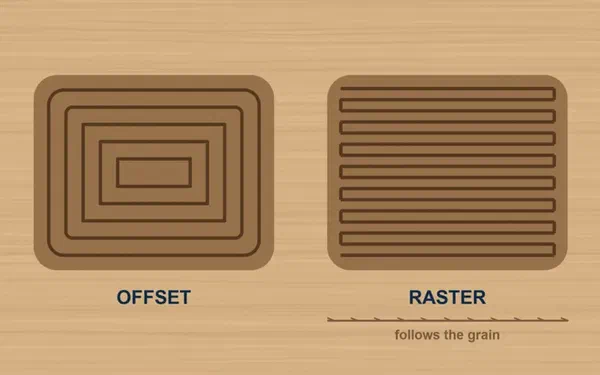
Raster carving
Clear a filled shape in straight parallel passes instead of spiralling in from the middle, so the bit runs with the wood grain and leaves a cleaner surface.
Requires Easel Starter
See how it works →
Starter
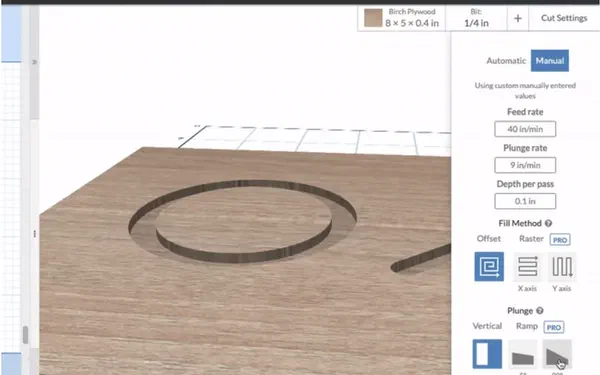
Ramping plunges
Enter the material at an angle instead of straight down. Less load on the bit when it engages, and the bit lasts longer.
Requires Easel Starter
See how it works →
Add Easel Pro to also get
Pro
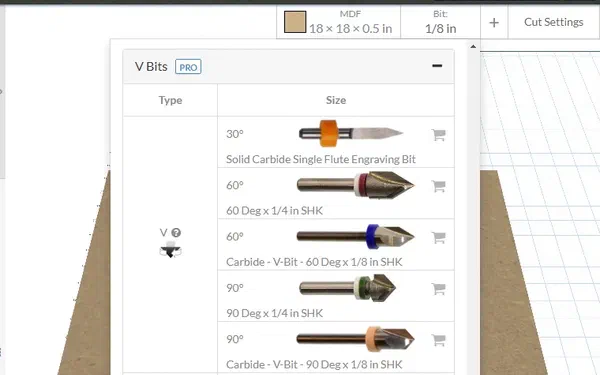
V-carving
V-shaped bits cut grooves that change depth as they change width, which is what gives lettering and line work crisp, sharp corners.
Requires Easel Pro
See how it works →
ProNew
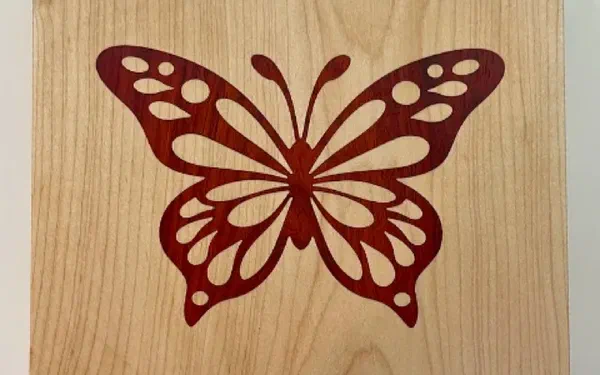
V-Carve Inlays
Generates a pocket and a matching plug using V-bit geometry so two different materials seat together with no gap.
Requires Easel Pro
See how it works →
Pro
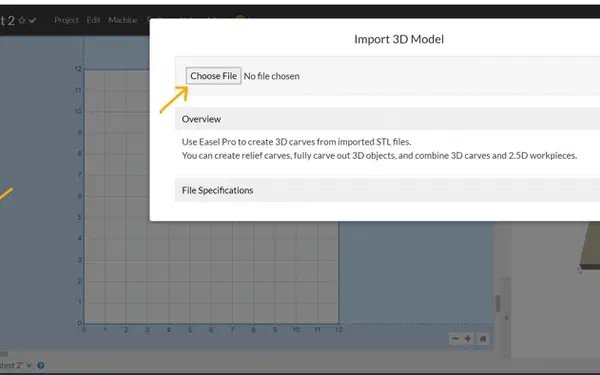
3D carving
Import an STL and carve smooth contoured surfaces with a ball end mill, for relief work and shaped parts.
Requires Easel Pro
See how it works →
Pro
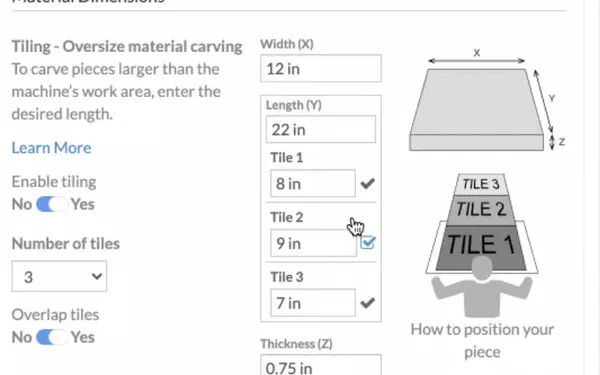
Large material tiling
On a machine with an open front and back, carve material longer than the work area by tiling the job in the Y direction.
Requires Easel Pro
See how it works →
Pro
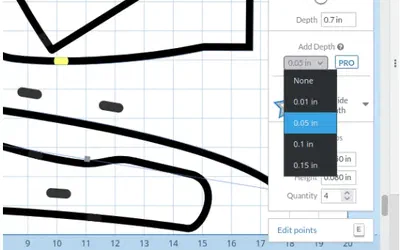
Additional cut depth
If a part did not cut all the way through, duplicate the workpiece and add depth to just those shapes instead of running the whole job again.
Requires Easel Pro
See how it works →
Pro
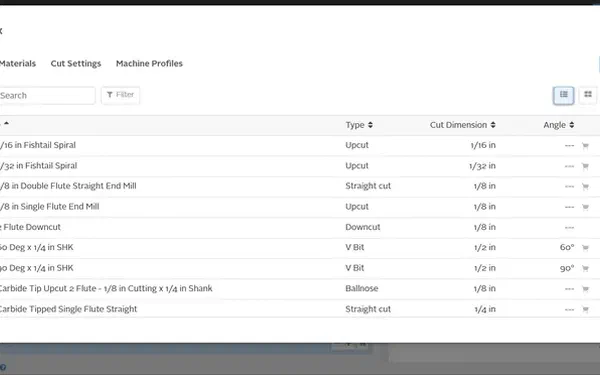
Toolbox
Add your own bits and materials and save the cut settings that work in your shop, on top of the built-in library of roughly 600 bits from five brands.
Requires Easel Pro
See how it works →
Design
Draw it, or start from something that already exists.
Every plan gets the same drawing and editing tools, Starter included. What Pro adds here is raw material: 10 million vectors and more than 300 fonts, so a job can start from something instead of an empty canvas.
Included in Easel Basic
All plansNew
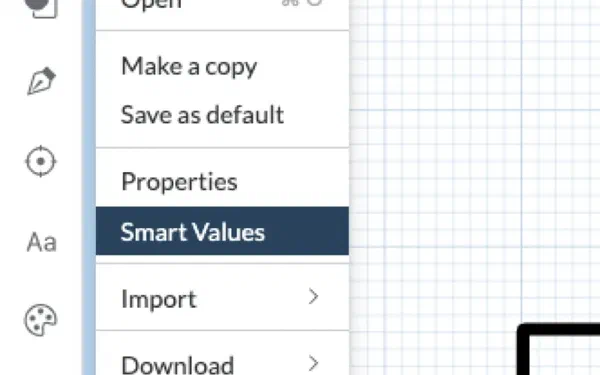
Smart Values
Name a dimension once, reuse it everywhere, and write math against it. Change the value and the whole project rescales.
See how it works →
All plansNew
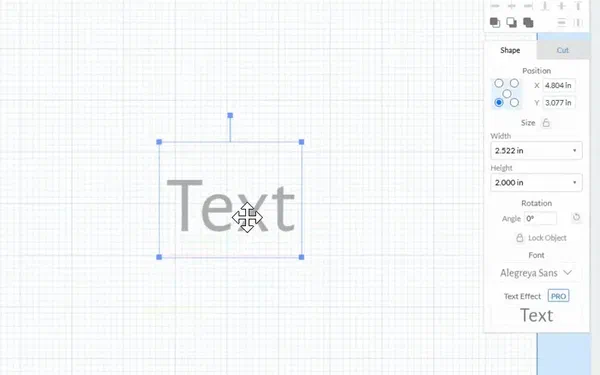
Text editing
A separate text editor with bold and italic styling, alignment options, and much better handling of rotated and vertical text.
See how it works →
All plansNew
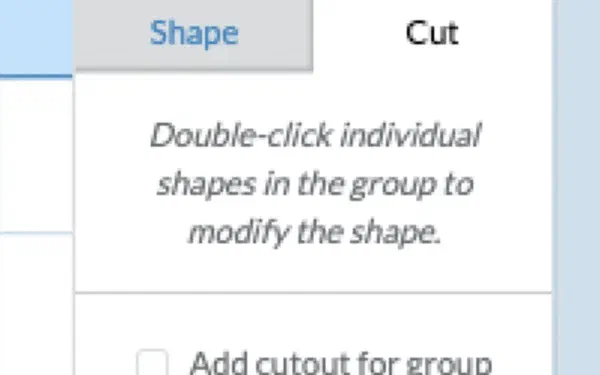
Group cutouts
Add a cutout outline around a whole group of shapes while the shapes inside stay editable, so you can build complex parts out of simple ones.
See how it works →
All plansNew
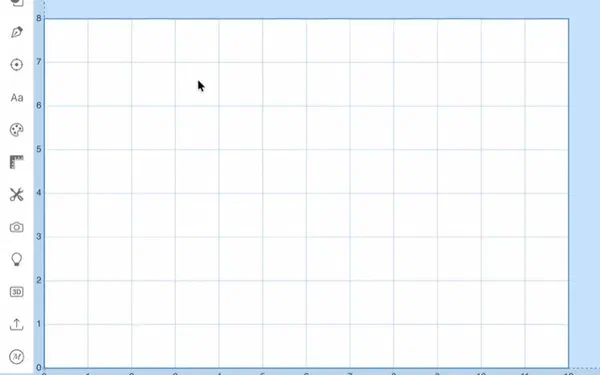
Freehand drawing and simplify
Draw a shape by hand on the canvas, then simplify it to clean up the node count before you cut it.
See how it works →
All plans

Vector editing
More than a dozen ways to edit vectors, including node editing, shape separation, trimming line segments, and offset and linked measurement lines.
See how it works →
All plansNew
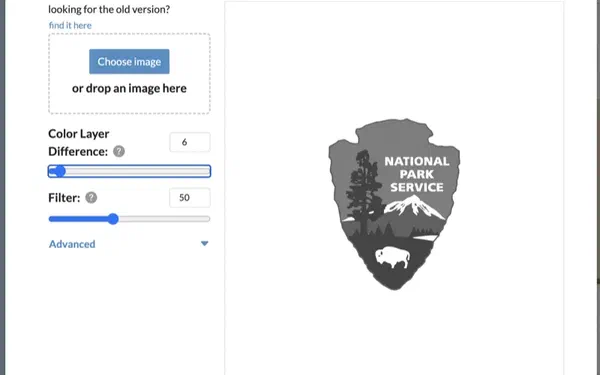
Image trace and file import
Turn an image into vectors, with cleaner results after the 2026 update, and import or export SVG and G-code.
See how it works →
Add Easel Pro to also get
Pro
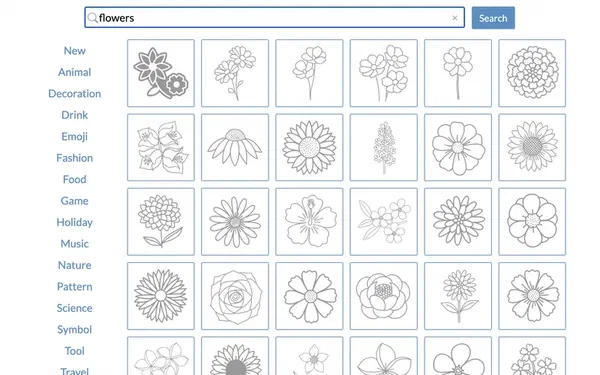
Pro Design Library
Search more than 10 million vectors and drop one straight onto the canvas. Favorites and recently used designs stay within reach.
Requires Easel Pro
See how it works →
Pro
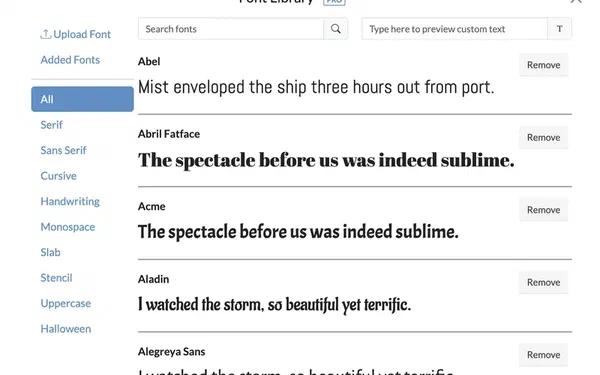
300+ fonts with text effects
A customizable font library with more than 300 fonts, plus text effects. Bold styling is available on select fonts.
Requires Easel Pro
See how it works →
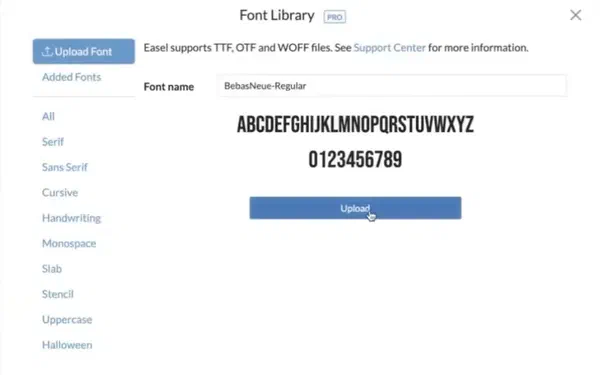
Pro
Upload your own fonts
Bring in a font that is not in the library and use it like any other. Italic styling works on imported fonts as well.
Requires Easel Pro
See how it works →
Add on any plan
Add-onNew
Easel Generate
Describe what you want in plain language and get a design you can carve. 2D vector artwork or a 3D bas relief. Subscribe on top of any Easel plan, including Basic.
See how it works →
Run the machine
Easel drives the machine you already own.
148 validated machines from 25 manufacturers, plus any GRBL machine you can point at it. Design and machine control live in the same browser tab.
Included in Easel Basic
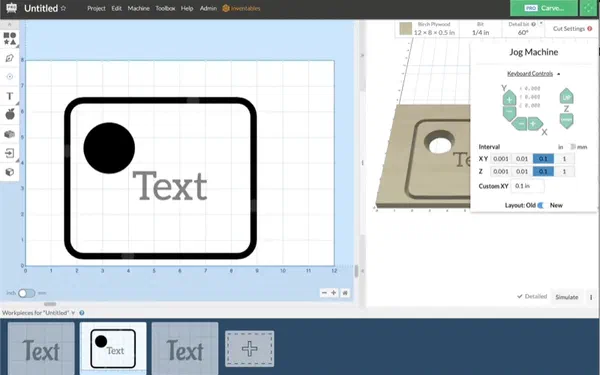
All plansNew
Rapid Connect and broad controller support
Connect to a GRBL machine straight from the browser with no driver install. GRBL-ESP32 is supported and FluidNC is in beta.
See how it works →
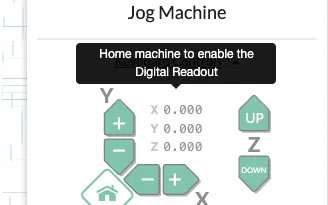
All plans
Digital Read Out
Live machine position in the jog menu, the carve walkthrough and the machine inspector, so you always know where the spindle is.
See how it works →
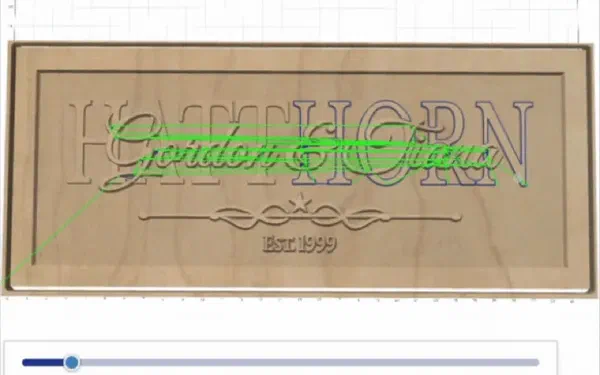
All plans
Two-stage carving
Rough out with one bit and detail with another, and dial the feedrate up or down while the job is running.
See how it works →
All plansNew
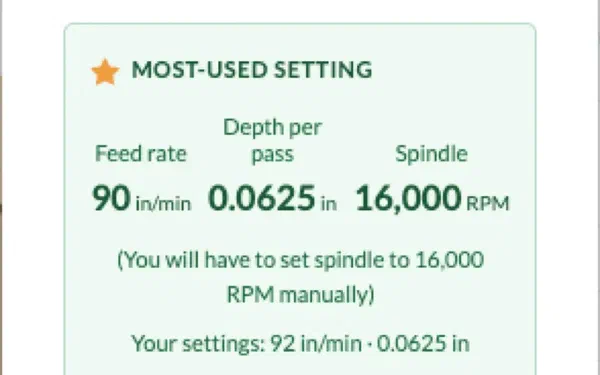
Community Cut Settings
Feeds and speeds other makers have already run on the same bit and material, so you are not guessing on the first pass.
See how it works →
Add Easel Starter to also get
Starter

Center work zero
Set X and Y zero at the center of the material instead of the front left corner, which is what round and symmetrical work needs.
Requires Easel Starter
See how it works →
Add Easel Pro to also get
Pro

Multiple machine profiles
Keep a saved profile for every machine in the shop and switch between them. Basic and Starter hold one at a time.
Requires Easel Pro
See how it works →
Pro
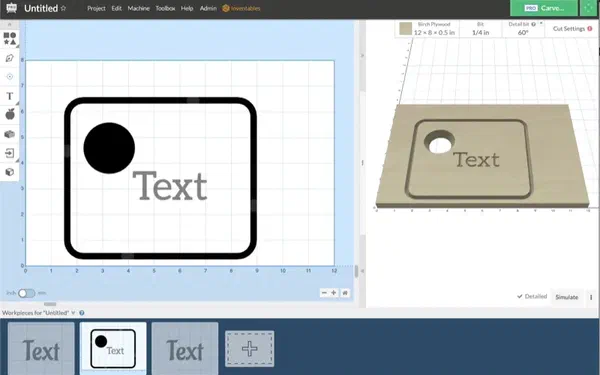
Machine parking
Send the spindle to a set park position between jobs so the bed is clear when you go to swap material.
Requires Easel Pro
See how it works →
Pro
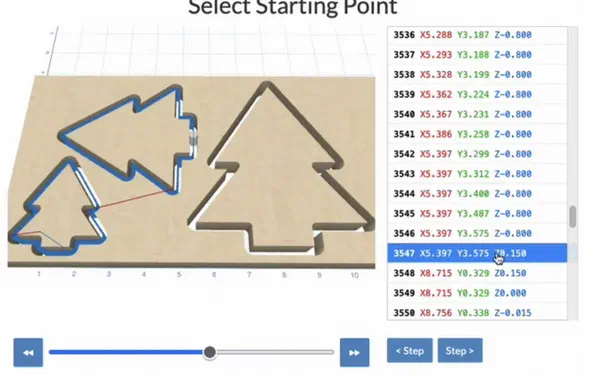
Resume carve
If a bit breaks or the power drops, pick the carve back up where it stopped. Works on 3D designs too.
Requires Easel Pro
See how it works →
Pro
Unlimited carves and exports
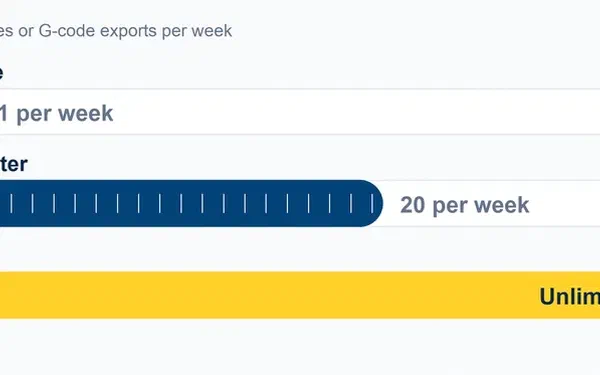
No weekly ceiling. Basic is one carve or G-code export a week, Starter is 20, Pro is unlimited.
Requires Easel Pro
See the plan limits →
Apps and community
Your next project is already half done.
Interactive apps generate whole designs for you, and the gallery lets you build on work other makers have already published.
Included in Easel Basic
All plansNew
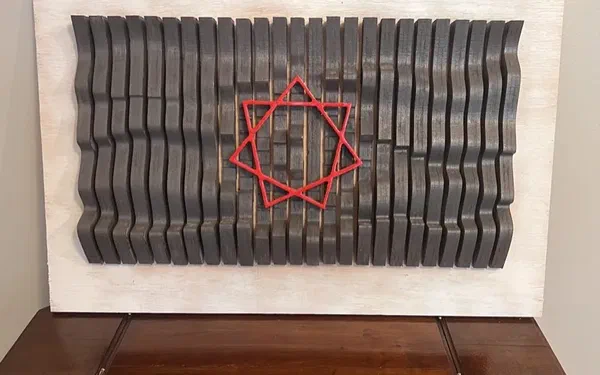
Wavy Wall Art
Turn an image or a pattern into 3D wall art made from slats. Eight patterns so far, with automatic nesting.
See how it works →
All plansNew
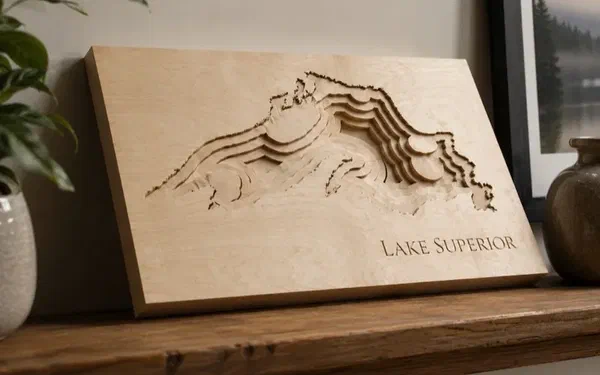
Lake Depth Maps
Search a US lake by name and get a carvable shoreline with stepped depth pockets from real bathymetry data.
See how it works →
All plans
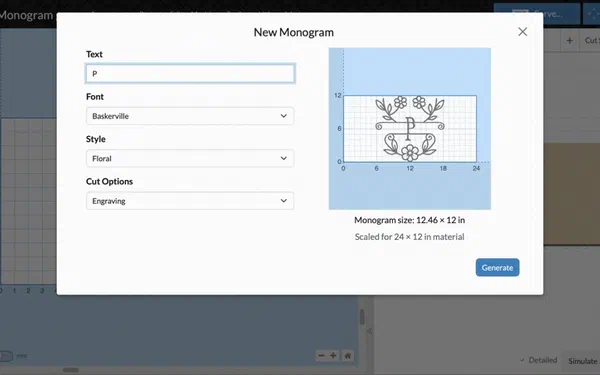
Monogram Generator
Build three letter, name and crest monograms that are already shaped for a CNC to cut.
See how it works →
All plansNew
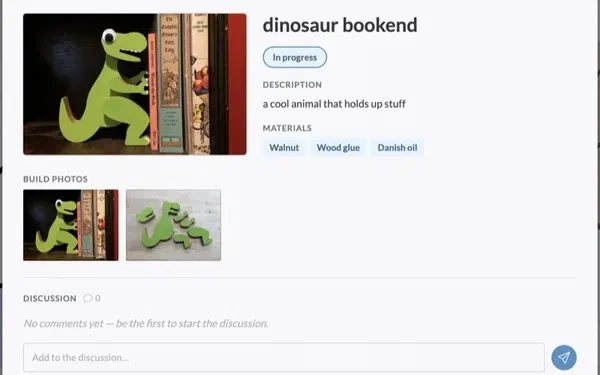
Project progress tracking
Keep build photos, notes and settings attached to the project while you work, then publish the whole story.
See how it works →
All plansNew
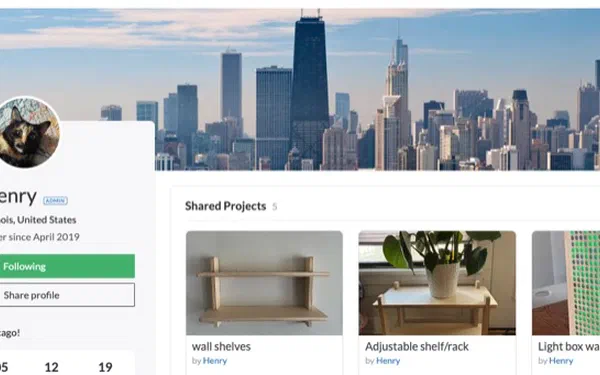
Maker profiles and follows
Cover images, achievement badges and social links on your profile, plus follows so you can keep up with makers you like.
See how it works →
All plans
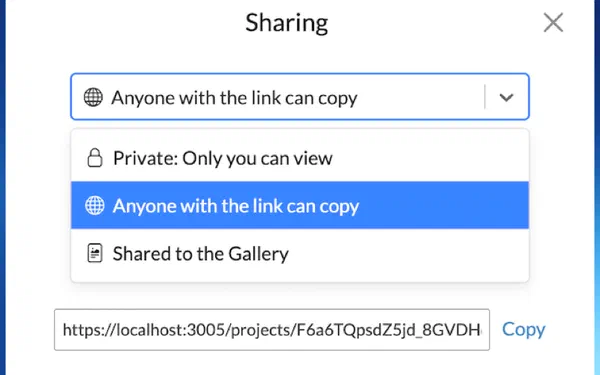
Project chat
Talk through a project in context with the people you are making it with.
See how it works →
All plansNew
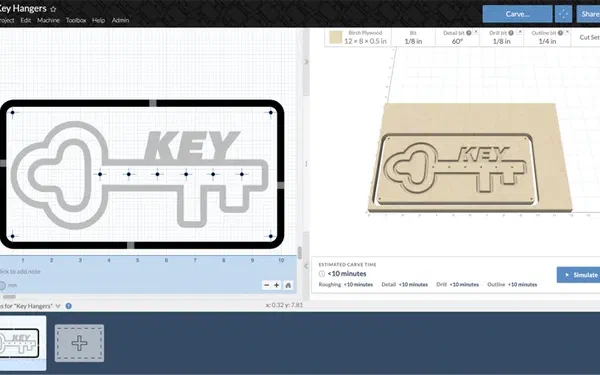
Drill bit support
Use a drill bit to plunge holes directly instead of milling them out with a circular toolpath.
See how it works →
All plansNew
Toolpath simulation
Play the toolpath before you cut it, scrub the timeline, and catch a mistake while it is still free to fix.
See how it works →
Add Easel Pro to also get
Pro
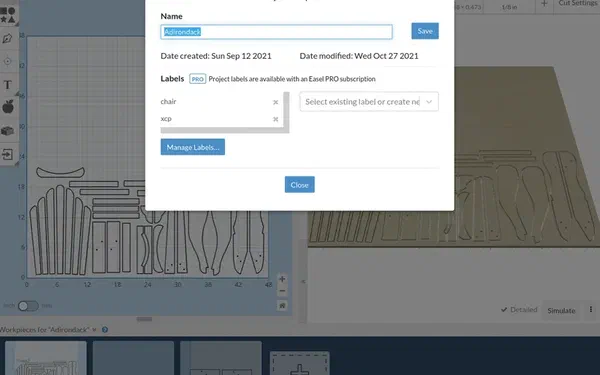
Project labels
Label your projects so you can still find things once you have a few dozen of them.
Requires Easel Pro
See how it works →
Easel Generate
Add-onNew
Describe it. Carve it.
Easel Generate turns a plain description into a design you can bring straight into your project. Choose 2D or 3D, write what you want, and generate. It works with any Easel plan, including Basic.
2D designs
Signs, logos, silhouettes, and line art. You get vector artwork you can edit, resize, and carve like any other Easel shape.
3D designs
Starting from an image or text create a bas relief model for 3D carving. Easel Generate builds the design and turns it into a carvable relief.
How it works
Open it
Easel Generate lives in the Easel toolbar under the magic wand icon.
Pick 2D or 3D
The button shows how many tokens the generation uses before you commit.
Describe what you want
Subject, style, and any details that matter. For 3D you can upload a reference image instead of writing a description.
Import and carve
Not quite right? Iterate. Happy with it? Bring it into your project and start carving.
Pricing
Generate 30
30 tokens a month
$8/month
Generate 60
60 tokens a month
$12/month
Generate 120
120 tokens a month
$20/month
Add Easel Generate from your Account page. It bills separately from your Easel plan, and changing or cancelling one does not affect the other. Prices in USD, plus sales tax where it applies.
Generating 3D works on any plan. Carving a 3D design in Easel requires Easel Pro.
You can export your 3D STL designs to use elsewhere without Pro.
Worth knowing
- Every generation and every iteration uses tokens.
- Tokens reset each month and do not roll over.
- Generative results vary. Iterating is a normal part of the process.
Shipped this year
New in Easel in 2026.
Easel gets updates most months. Here is a sample of what landed this year, and which plan each one needs.
August 2026
Easel Generate
Describe a design in plain language and get 2D vector artwork or a 3D bas relief you can carve. A monthly add-on that works with any plan.
August 2026
Group Cutouts
Add a cutout outline to a whole group of shapes and keep the inner shapes editable.
August 2026
Four new Wavy Wall patterns
Lattice, Terrain, Eddy and Echo joined the Wavy Wall Art app.
July 2026
Wavy Wall Art app
Build 3D wall art from slats arranged against a backing, with pattern shuffling and automatic nesting.
July 2026 · Pro
V-Carve Inlays
Generate a pocket and a matching plug so two materials fit together cleanly. One of the most requested features from the community.
July 2026
Project progress tracking
Save build photos, notes and settings as you go, then publish the finished project to the gallery.
July 2026
Lake Depth Maps
Search tens of thousands of US lakes and carve a stepped depth map built from real bathymetry.
July 2026
Maker profiles
Cover images, achievement badges, social links and visibility controls on your profile.
June 2026
Smart Values, early access
Named, reusable dimensions with math expressions that rescale a whole project at once.
June 2026
New text editing
A separate text editor with bold and italic styling, alignment options, and better rotated and vertical text.
May 2026
Community Cut Settings
Feeds and speeds that other makers have already proven on the material in front of you.
May 2026
Rapid Connect
Connect to your machine straight from the browser, on any GRBL machine.
April 2026
Freehand drawing
Draw shapes by hand directly on the canvas, then clean them up with simplify.
Side by side
The whole lineup, one table.
Basic gives you the full design toolset and one carve a week. Starter lifts that to 20 and adds raster carving. Pro removes the limit entirely and opens up V-carving, 3D carving and the shop tools makers reach for once projects turn into orders.
| Feature | Basic | Starter | Pro |
|---|---|---|---|
| Carving volume | |||
| Carves and G-code exports | 1 per week | 20 per week | Unlimited |
| Toolpaths | |||
| Automated toolpath generation | Yes | Yes | Yes |
| Two-stage carving with feedrate override | Yes | Yes | Yes |
| Raster carving | No | Yes | Yes |
| Ramping plunges | No | Yes | Yes |
| Center work zero | No | Yes | Yes |
| V-carving | No | No | Yes |
| V-Carve Inlays | No | No | Yes |
| 3D carving | No | No | Yes |
| Design | |||
| Design tools and detailed 3D preview | Yes | Yes | Yes |
| Image trace, SVG and G-code import and export | Yes | Yes | Yes |
| Basic font libraries | Yes | Yes | Yes |
| Pro Design Library, 10 million vectors | No | No | Yes |
| 300+ fonts with text effects | No | No | Yes |
| Bits and materials | |||
| Built-in bit and material libraries | Yes | Yes | Yes |
| Community Cut Settings | Yes | Yes | Yes |
| Toolbox with custom bits, materials and saved cut settings | No | No | Yes |
| Large and deep work | |||
| Large material tiling | No | No | Yes |
| Additional cut depth below material | No | No | Yes |
| Machine control | |||
| Digital Read Out (DRO) | Yes | Yes | Yes |
| Rapid Connect from the browser | Yes | Yes | Yes |
| Machine profiles | One | One | Multiple |
| Machine parking | No | No | Yes |
| Resume carve | No | No | Yes |
| Price | |||
| Monthly | $0 | $8 | $24 |
| Annual | $0 | $72 | $216 |
| Three year | Not offered | Not offered | $599 |
| Add-ons | |||
| Easel Generate subscription | Add-on | Add-on | Add-on |
| Carve a generated 3D design in Easel | No | No | Yes |
Start free. Upgrade when you're ready.
Create a free Easel account today, or start a free trial to unlock every Starter and Pro feature.
Easel Pro Trial →